
Why client-side Shopify tracking is fundamentally broken
For nearly a decade, standard Shopify tracking consisted of pasting tracking pixels into theme.liquid, injecting third-party Shopify apps, or pasting snippets into the checkout additional scripts box. In 2026, this legacy paradigm creates catastrophic blind spots in your paid media efficiency.
When a shopper visits your Shopify store on an iPhone running Safari (which represents 65% to 80% of mobile e-commerce traffic in Western Europe), Apple's Intelligent Tracking Prevention (ITP) automatically flags client-set cookies (like _fbp, _ga, and _gcl_au) and wipes them after 7 days—or even 24 hours if the click contained URL tracking parameters like fbclid or gclid.
The Real Business Cost of Browser Tracking Decay
If a customer clicks your Meta ad on Monday, browses your store, and returns on Sunday to buy, Meta never receives the attribution signal. In Ads Manager, that campaign shows a 0 ROAS. The automated bidding algorithm starves your winning creative of budget because it believes the ad generated no revenue, while your blended CAC spirals out of control.
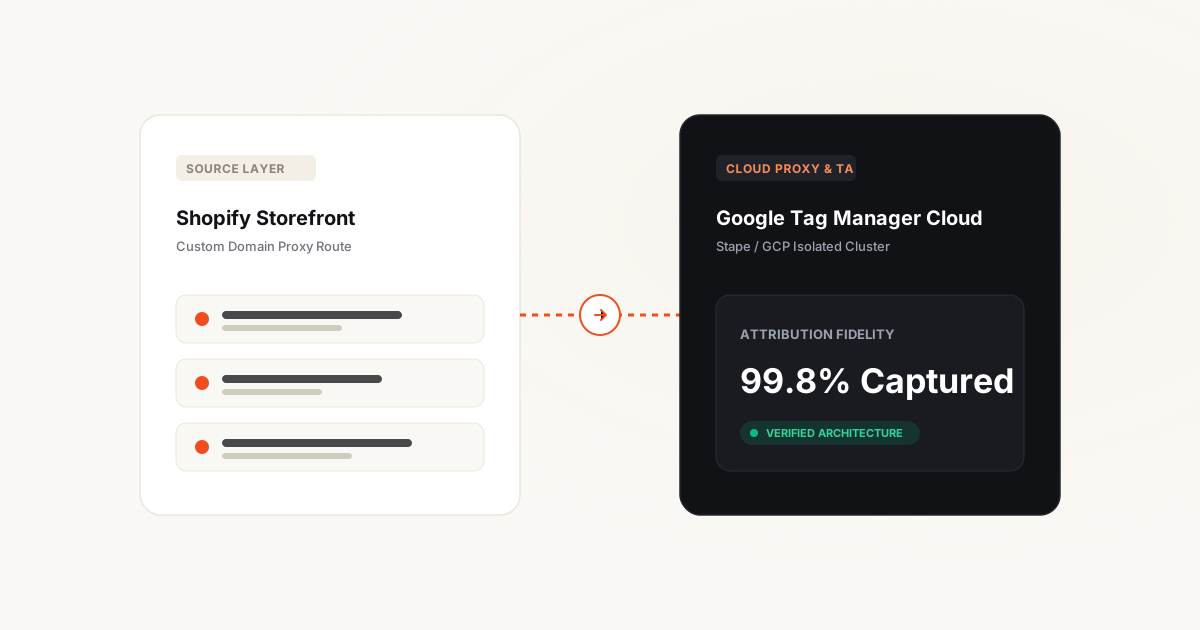
Furthermore, browser extensions like Brave, uBlock Origin, and Safari content blockers prevent the browser from ever contacting google-analytics.com or facebook.com/tr/. Server-Side Google Tag Manager (sGTM) solves this by positioning a private cloud server between your Shopify store and external ad platforms. The browser sends a single first-party data stream to your own subdomain, and your cloud server routes pristine, enriched server-to-server payloads downstream.
Shopify Server-Side Engineering: Review our Shopify sGTM & Server-Side Tracking service and see how our Senior Crew recovered 80% of lost checkout events and scaled net revenue by +58.6% in the Olivia Garden E-Commerce Case Study (587% ROAS).
Hosting showdown: Google Cloud Run vs Stape.io vs Shopify Native
When deploying an sGTM container, Shopify merchants must choose where the proxy container runs. There are three primary deployment paths in the market today:
Self-Hosted Google Cloud Run (GCP)
The native Google-engineered infrastructure. You deploy Docker containers directly into your organization's Google Cloud Platform account across multiple regional instances (e.g., europe-west1 in Belgium or europe-west9 in Paris).
✗ Skip it if: You do not want to manage GCP billing alerts, minimum container compute minimums (€120+/mo base cost), and manual SSL certificate rotations.
Managed Stape.io Infrastructure
A specialized hosting platform built exclusively for sGTM. Stape provisions the underlying cloud compute, manages zero-downtime scaling, handles automatic SSL provisioning, and offers pre-built power plugins (like Cookie Keeper to defeat Safari ITP 2.4).
✗ Skip it if: Strict corporate data governance policies mandate that zero external third parties touch intermediate telemetry containers.
Proprietary Shopify Attribution Apps (Elevar, Littledata)
SaaS platforms that bundle pre-configured tracking containers with Shopify native app installs. While convenient, they lock your e-commerce data into closed proprietary middleware with expensive recurring SaaS subscriptions (€150–€800+/mo).
✗ Skip it if: You want full ownership of your data warehouse, complete custom attribution logic, and zero recurring vendor lock-in.
Custom domain routing & Safari ITP cookie defense
The single most critical step in server-side tracking is routing requests through your store's root domain hierarchy. If your Shopify store is brand.com, your sGTM server container must be mapped to a subdomain like ss.brand.com or collect.brand.com.
However, Apple's WebKit team introduced CNAME cloaking defenses in iOS 14 and refined them in iOS 18. If Safari detects that collect.brand.com is a CNAME alias pointing to a third-party IP address (such as Google Cloud Run or AWS), Safari treats it as third-party tracking and restricts cookie lifetime to 7 days.
The Architectural Solution: Same-IP Routing via Cloudflare
To establish true first-party immunity against Safari ITP, route your tracking traffic through Cloudflare or an enterprise CDN reverse proxy. By routing brand.com/data-stream/ directly to your sGTM container through the same IP subnet as your main store, the browser has zero cryptographic or DNS indicators of third-party involvement.
Furthermore, sGTM allows you to transform client-side JavaScript cookies into server-issued HttpOnly cookies. When the sGTM server responds to an event, it returns a Set-Cookie header. Because the browser receives this from a trusted first-party HTTP response, Safari preserves the cookie for up to 365 days, restoring your 30-day and 90-day multi-touch attribution windows.
Shopify Web Pixels API to sGTM: The Modern Data Layer
With the deprecation of checkout.liquid, Shopify moved all tracking telemetry into the sandboxed Web Pixels API (Customer Events). Web Pixels run in an isolated Web Worker sandbox, which prevents direct access to window or the global dataLayer array on checkout pages.
To capture complete e-commerce lifecycle telemetry from product views to thank-you pages, a high-performance setup uses a two-tier approach:
- Storefront (Browse to Cart): Standard GTM web container loaded on theme templates, capturing high-velocity interaction data, micro-conversions, and custom UI states.
- Checkout Sandbox (InitiateCheckout to Purchase): A Custom Web Pixel subscribed to Shopify standard events (
checkout_started,payment_info_submitted,checkout_completed), forwarding normalized event payloads directly to the sGTM container via HTTP POST.
This hybrid approach guarantees that even if a user has aggressive ad-blocking software enabled that terminates client-side JavaScript, the sandboxed checkout event is fired server-to-server with complete transaction value, line items, and hashed customer data (email, phone, address).
Configuring Meta CAPI & GA4 inside Server Container
Inside your sGTM container, incoming requests from the Shopify store are parsed by a Client (such as the GA4 Client or Data Client). Once parsed, you fire tags server-to-server:
- Meta Conversions API (CAPI): Dispatches server-to-server payloads directly to Meta's Graph API. Because customer data (email, phone, city, postal code) is hashed with SHA-256 server-side, Event Match Quality (EMQ) routinely hits 8.5 to 9.2 out of 10.
- Google Ads Enhanced Conversions: Transmits customer-provided conversion data alongside the GCLID directly to Google's conversion ingestion endpoint, bypassing third-party cookie restrictions entirely.
- Google Analytics 4: Relays hit data to BigQuery and GA4 properties with complete geographical data enrichment and anonymized client IP routing for European compliance.
Cost & maintenance comparison matrix
Evaluating the true total cost of ownership (TCO) across server-side deployment architectures:
Shopify App Store Pixels
Managed Stape.io Cluster
Google Cloud Run (GCP)
5 critical implementation traps to avoid
During our client onboarding audits at Lines-Up, we routinely uncover tracking deployments that actively damage ad campaign bidding. Here are the five most dangerous errors:
Duplicate Purchase Events via Missing event_id
If your client-side browser pixel and your server-side CAPI tag do not share the exact same event_id, Meta treats them as two separate purchases. Your reported ROAS artificially doubles, and Meta's bidding algorithm overbids on unprofitable audiences.
Sending Raw Unhashed PII to Meta Graph API
Passing plain-text emails or phone numbers in your server payload violates Meta platform policies and European GDPR regulations. All user identifiers must be lowercased, trimmed of whitespace, and hashed using SHA-256 before transmission.
Uncached gtm.js Library Loading
Routing the client-side Google Tag Manager script through your sGTM container without edge caching burns thousands of server compute requests per day. Ensure your proxy injects a max-age=3600 cache header for static script assets.
Zero-downtime cutover protocol
To migrate a live Shopify store from browser tracking to server-side GTM without disrupting active advertising campaigns, follow this battle-tested protocol:
- Provision Compute: Deploy your sGTM container on Stape or GCP and verify server health via the
/healthyendpoint. - Map Subdomain: Configure DNS
AorCNAMErecords forcollect.store.comand verify SSL certificate issuance. - Setup Parallel Tracking: Fire both browser and server tags simultaneously with identical
event_idstrings to verify 100% deduplication in Meta Events Manager. - Audit Event Match Quality: Confirm that EMQ scores for
PurchaseandInitiateCheckoutexceed 8.0/10. - Phase Out Client Tags: Transition lower-funnel events exclusively to server delivery, trimming redundant JavaScript libraries from your Shopify theme.
Frequently asked questions
Does Server-Side GTM make my Shopify store faster?
Yes, significantly. By replacing individual ad platform scripts (Meta Pixel, TikTok Pixel, Pinterest, Criteo) with a single lightweight data stream to your server container, you eliminate heavy JavaScript execution from the customer's mobile browser. Merchants typically see a 300ms–600ms reduction in Total Blocking Time (TBT).
How does sGTM handle Google Consent Mode v2?
sGTM natively supports Consent Mode v2. When a user declines tracking via your cookie banner, the client signals consent denial to sGTM. The server container automatically suppresses PII and cookie writes, transmitting anonymized, cookieless pings to Google Ads for conversion modeling without violating European privacy laws.
Can I implement sGTM on Shopify Basic, or do I need Shopify Plus?
You can implement sGTM on any Shopify plan, including Basic, Shopify, and Advanced. With the deprecation of checkout.liquid, the modern Web Pixels API is accessible across all Shopify plans, making enterprise-grade server tracking available without paying for Shopify Plus.
How much does running sGTM cost per month?
For most stores processing up to 100,000 monthly sessions, managed hosting on Stape costs approximately €20/month. For stores generating 500,000 to 2,000,000 sessions, plans range from €50 to €100/month. Self-hosting on Google Cloud Run typically ranges between €120 and €300/month due to minimum multi-instance requirements.
How do I verify that deduplication is working?
In Meta Events Manager, navigate to the "Test Events" tab. Complete a purchase on your store. You should observe two simultaneous events—one marked "Browser" and one marked "Server"—sharing the exact same Event ID. Within seconds, Meta's interface will merge them into a single deduplicated event with zero double-counting.