
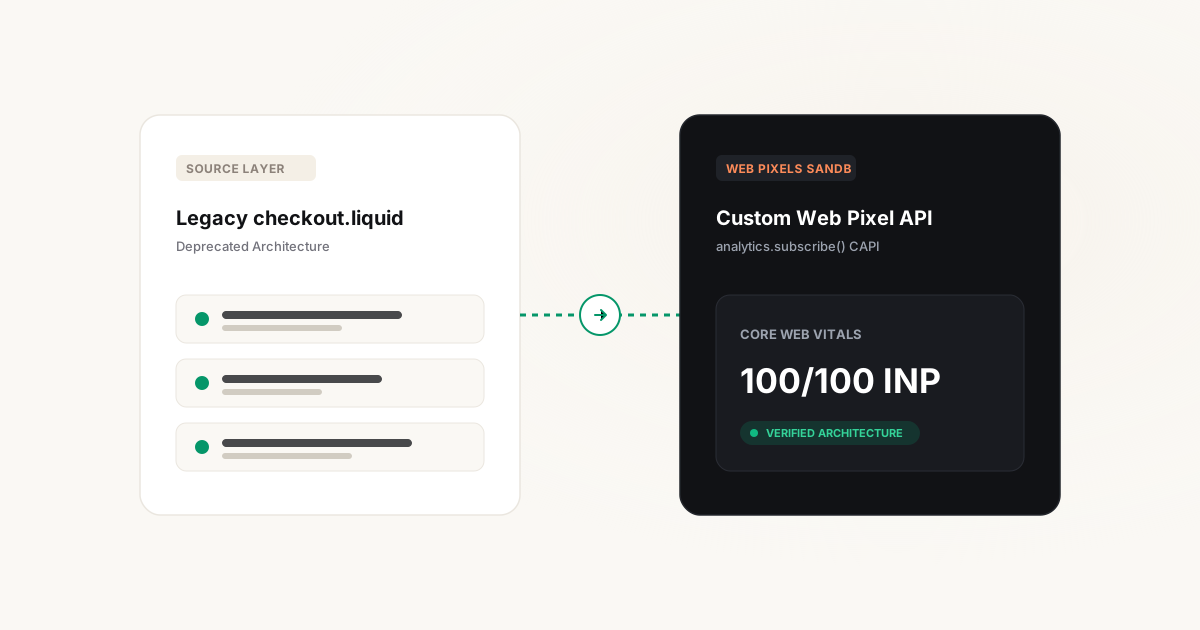
The technical shift: checkout.liquid deprecation and the new paradigm
For years, Shopify merchants customized checkout tracking by editing checkout.liquid or pasting custom JavaScript snippets into Settings > Checkout > Additional Scripts. This approach gave developers unrestricted access to the browser's Document Object Model (DOM), allowing external scripts to inject arbitrary tracking tags, survey widgets, and third-party libraries directly into the purchase funnel.
While flexible, this legacy architecture introduced severe security vulnerabilities (Magecart payment skimming attacks) and degraded checkout performance. In response, Shopify launched Checkout Extensibility—a modern checkout foundation built on React, Web Workers, and strict sandboxing.
The Hard Migration Reality
With the permanent deprecation of checkout.liquid and Additional Scripts across all Shopify plans, any legacy JavaScript snippet operating in the checkout is silenced. If your store has not migrated to the Web Pixels API, your ad accounts are running blind on the final checkout step.
Shopify Checkout Engineering & CRO: Explore our Shopify Web Engineering & Checkout CRO and Server-Side Web Pixels services, or see how our server-to-server checkout recovery generated 587% ROAS and +58.6% net revenue in the Olivia Garden Case Study.
Understanding the Web Pixels API sandbox constraints
The fundamental challenge of Checkout Extensibility is that tracking scripts no longer run in the global browser scope. Instead, they execute inside an isolated Web Worker sandbox.
This architectural isolation imposes strict boundaries that break conventional tracking setups:
- No
windowordocumentaccess: Scripts cannot inspect page DOM elements, read custom HTML attributes, or listen to arbitrary click events. - No global
dataLayer: Traditional client-side Google Tag Manager containers cannot be injected directly into the sandbox. - Restricted Cookie Access: The sandbox cannot directly read or write first-party cookies from your main store domain using standard
document.cookiemethods.
To track checkout behavior, developers must subscribe to Shopify's standardized Customer Events API and forward structured payloads downstream.
Production Custom Pixel architecture: Dispatching to sGTM
Rather than relying on black-box Shopify App Store pixels that fragment your data, the enterprise standard is to deploy a Custom Web Pixel inside Shopify Admin > Customer Events.
The Custom Pixel subscribes to checkout lifecycle events and dispatches an HTTP POST payload directly to your Server-Side Google Tag Manager (sGTM) ingestion endpoint:
The Sandboxed Event Bridge
When a customer completes a purchase, Shopify fires the native checkout_completed event. The Custom Pixel extracts order financial data, tokenized customer attributes, and item details, immediately posting the JSON payload to https://collect.store.com/shopify-events.
Shopify Customer Events to GA4 & Meta CAPI mapping
Translating Shopify's proprietary event structure into standardized marketing schemas:
add_to_cart | Meta CAPI: AddToCartCritical Parameters:
value, currency, items array (item_id, price, quantity).
begin_checkout | Meta CAPI: InitiateCheckoutCritical Parameters:
value, currency, coupon, items, line_items_count.
add_payment_info | Meta CAPI: AddPaymentInfoCritical Parameters:
payment_type (e.g. credit_card, apple_pay), value, currency.
purchase | Meta CAPI: PurchaseCritical Parameters:
transaction_id (Order ID deduplication token), tax, shipping, value, hashed customer PII (em, ph).
Passing GCLID & FBCLID through the sandbox boundary
One of the most frequent post-migration attribution failures is the loss of ad click identifiers (gclid, fbclid, ttclid). Because the Web Pixel sandbox operates in an isolated context, it cannot read cookie values set on your root domain unless explicitly passed.
We resolve this through a two-step persistence bridge:
- Storefront Capture: On your storefront theme, capture incoming click parameters from the landing URL and persist them into Shopify's cart attributes or local storage.
- Sandbox Retrieval: In your Custom Web Pixel, access
event.context.document.locationand Shopify'sinit.data.cart.attributesto extract the original click tokens, attaching them to the finalcheckout_completedpayload.
Step-by-step zero-downtime cutover protocol
Executing the cutover on a live store with active ad spend requires surgical precision:
Deploy Custom Pixel in Inactive Mode
Write and configure the Custom Web Pixel code inside Shopify Customer Events. Test event payloads against your sGTM staging container using browser developer tools and sGTM preview mode.
Verify Event Deduplication
Ensure that both the client-side pixel and the server-side Web Pixel dispatch identical event_id parameters (e.g., order_id) to Meta Events Manager to verify 100% successful deduplication.
Deactivate Legacy Scripts
Publish the Checkout Extensibility profile in Shopify Admin and immediately purge legacy tracking scripts from the Additional Scripts box. Verify live order ingestion in GA4 and Meta Ads Manager.
Post-migration audit checklist
Within 24 hours of completing the migration, verify the following five health signals:
- Meta EMQ Score: Confirm that the Event Match Quality score on
Purchaseremains at or above 8.5/10. - GA4 Transaction Parity: Check that the transaction count in GA4 is within 2% to 4% of Shopify Admin net orders.
- Google Ads Enhanced Conversions: Verify in Google Ads UI that conversion actions report "Active (Enhanced Conversions Detected)".
- No Double Counting: Confirm that revenue reporting has not doubled in ad platform reporting dashboards.
- Checkout Latency Check: Measure checkout step transitions to ensure Total Blocking Time (TBT) remains under 100ms.
Frequently asked questions
When is the absolute deadline to migrate from checkout.liquid?
Shopify has formally deprecated checkout.liquid. Stores that have not upgraded are automatically migrated to default Checkout Extensibility layouts, which immediately breaks all custom JavaScript scripts residing in checkout.liquid or Additional Scripts.
Can I still use Google Tag Manager on Shopify checkout?
You cannot inject client-side gtm.js into the checkout DOM. However, you can deploy a Custom Web Pixel that listens to Customer Events and transmits event payloads directly to a Server-Side GTM container, effectively giving you full GTM flexibility without compromising security.
Do I need Shopify Plus to use Checkout Extensibility?
No. While editing the visual checkout layout via drag-and-drop checkout UI extensions requires Shopify Plus, the underlying Web Pixels API and Customer Events system are available on all Shopify plans (Basic, Shopify, Advanced).
How do Web Pixels handle GDPR cookie consent in France and the EU?
Shopify provides native integration between Shopify Customer Privacy and the Web Pixels API. When configuring your pixel, you can declare its privacy purpose (e.g., analytics or marketing). Shopify will automatically suppress event dispatching if the visitor has not granted required consent.
What happens if a customer uses an aggressive ad blocker?
Because Web Pixels run inside a sandboxed Web Worker and dispatch payloads to your own first-party subdomain (e.g., collect.store.com), standard ad-blockers fail to recognize or block the telemetry stream, resulting in near 100% purchase capture.