
Executive summary & architectural verdict
When selling high-ticket B2B services, industrial equipment, or enterprise consulting with deal sizes ranging from €15,000 to €250,000, standard web analytics completely fails. Transactions do not happen via an instant shopping cart; they require discovery calls, custom proposals, legal revisions, and 30 to 90 days of sales negotiations.
If your Google Ads campaigns rely on standard "Thank You Page" conversion tags, Google Smart Bidding operates in total ignorance of your sales pipeline. A student asking for free advice receives the exact same conversion weight as an enterprise procurement director signing a €60,000 annual contract.
Over time, machine-learning algorithms drift toward the path of least resistance: generating the cheapest possible form submissions from low-intent users.
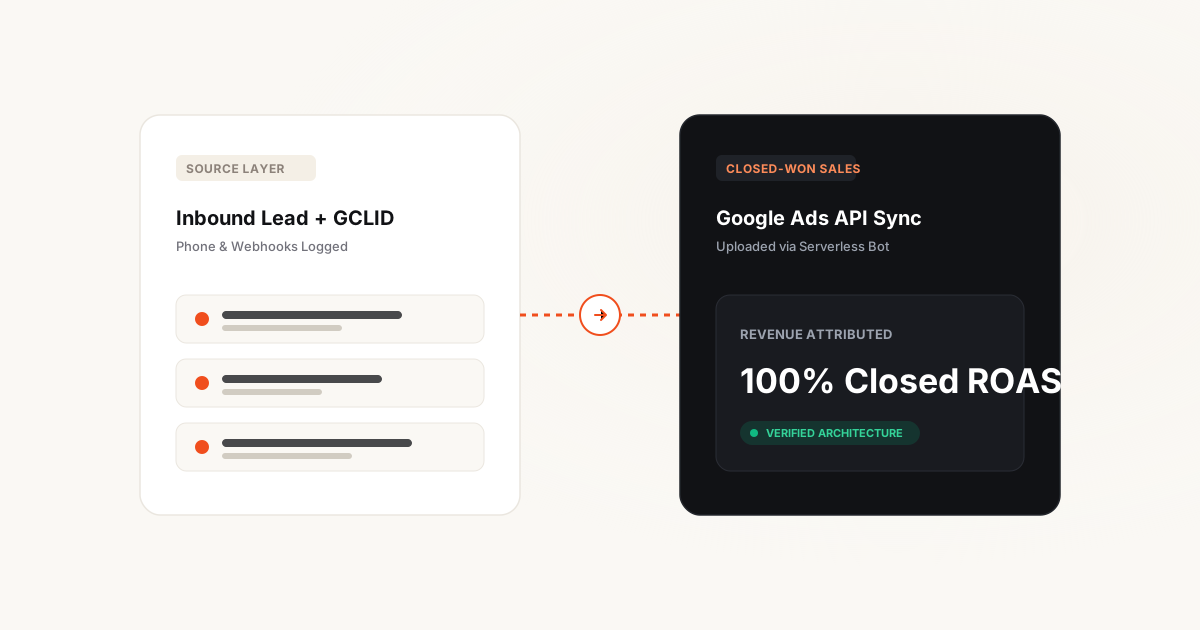
The engineering solution is Offline Conversion Ingestion: capturing the Google Click ID (GCLID) at the point of initial contact, storing it inside your CRM, and deploying a serverless data pipeline that uploads the actual revenue back to Google Ads once the contract is signed.
Live Production Case Study: This architecture was engineered by our Serverless Attribution & CRM Pipeline crew—inspect the exact implementation and verified financial outcomes in the Boobon Case Study (GCLID decorator + Binotel CallTracking + GitHub Actions ETL driving a verified 132% net ROAS).
The lead-to-deal attribution gap: Why volume destroys B2B
Examine the economic reality of two keyword clusters running in a high-ticket logistics or B2B SaaS account:
Cheap Generic Clicks
Qualified B2B Intent
Without offline conversion tracking, Google Ads sees Campaign 1 producing 100 leads at €50 and Campaign 2 producing 25 leads at €200. Smart Bidding systematically reallocates 80% of your budget into Campaign 1, starving your business of high-value enterprise contracts.
GCLID, WBRAID & GBRAID capture and persistence
The first link in the attribution chain is capturing Google's click identifiers upon initial landing and preserving them until an inquiry occurs:
URL Parameter Extraction on First Visit
When a visitor arrives from Google Ads, the landing URL contains ?gclid=... (or wbraid/gbraid for iOS Safari traffic). A lightweight first-party script extracts the parameter immediately upon page load.
Long-Life First-Party Cookie Storage
Store the click ID in a first-party cookie (e.g. _gclid_lead) with a 90-day lifespan. If the visitor browses 12 different case studies and pricing pages over the next three weeks before submitting a form, the click identifier remains intact.
.yourdomain.com to preserve attribution across subdomains.
Hidden Form Field CRM Injection
Every lead form on your website includes hidden input fields (gclid_field, utm_source, utm_campaign). On DOM ready, JavaScript automatically reads the stored cookie value and populates the hidden field before the user clicks Submit.
Bridging phone inquiries: Dynamic Call Tracking
In European high-ticket markets (especially France, Germany, and the UK), over 45% of high-intent enterprise buyers refuse to fill out web forms. They immediately call the telephone number displayed on the site.
If you only display a static corporate phone number, all phone sales become an uncredited attribution black hole. To bridge this gap, deploy Dynamic Number Insertion (DNI) via telecommunications platforms such as Binotel, Ringover, or Aircall:
- Dynamic Pool Allocation: The platform maintains a pool of 4 to 8 local telephone numbers (e.g. French 01 or 05 numbers).
- Session Pairing: When a visitor lands from a Google ad, JavaScript swaps the displayed phone number with a unique number reserved for that active browsing session.
- Real-Time CRM Linkage: When the phone rings, the telephony API links the caller's phone number with the active session's GCLID and creates a new deal record inside your CRM within 2 seconds.
Serverless ETL cloud architecture: Zero maintenance
You do not need an expensive enterprise data warehouse or full-time data engineering team to sync offline sales. The entire pipeline operates seamlessly via a serverless cron worker (such as Google Cloud Functions, AWS Lambda, or scheduled GitHub Actions):
GCLID Capture & Cookie Decorator
Extracts the Google Click Identifier from the landing URL and stores it in first-party storage, auto-populating hidden form inputs and call tracking sessions.
CRM Lead Object Persistence
When the contact is created, the GCLID token is saved as an immutable property on the contact and deal record throughout the 30-to-90 day sales cycle.
Serverless Bot & Google Ads API Sync
A daily GitHub Actions or Cloud Run cron detects Closed-Won deal status changes and uploads conversion time, stage value, and GCLID directly to Google Ads.
Total monthly cloud hosting cost for this serverless architecture is typically €0.00 under standard free-tier execution quotas.
Graduated conversion values: Training Smart Bidding
High-ticket B2B sales cycles often take 60 to 90 days to close. If you only upload conversions when the final contract is signed, Google Ads receives very low conversion volume (e.g. 5 deals per month), which is insufficient for machine-learning algorithms to optimize efficiently.
The strategic breakthrough is configuring Graduated Milestone Conversion Values inside Google Ads:
- MQL Form Submission: Value = €10.00 (Secondary conversion, for observation).
- Sales Qualified Lead (SQL): Value = €250.00 (Primary conversion, fired when sales confirms target budget).
- Commercial Proposal Sent: Value = €1,200.00 (Primary conversion, fired when pricing proposal is delivered).
- Closed-Won Contract: Value = Actual Gross Contract Margin (Primary conversion, uploaded via offline API).
"By assigning intermediate economic value to SQLs and Proposals, Google Smart Bidding receives sufficient conversion density (30+ events per month) to continuously optimize toward high-probability enterprise buyers."
Transitioning campaigns to Value-Based Bidding
Once your serverless pipeline has uploaded at least 30 historical offline conversions, you execute the strategic shift: changing your Google Ads campaign bid strategy from Maximize Conversions to Maximize Conversion Value (Target ROAS).
Set your initial Target ROAS based on your historical revenue:ad-spend ratio (e.g. 450%). Google's algorithm immediately stops searching for people who enjoy filling out web forms and begins aggressively competing for prospects matching the profile of closed enterprise accounts.
Five fatal mistakes to avoid when deploying offline pipelines
Review these critical pitfalls before deploying your offline tracking pipeline:
- Mistake #1: Exceeding the 90-Day Upload Window: Google Ads API rejects offline conversion uploads if the original ad click occurred more than 90 days ago. Ensure sales teams update deal statuses promptly.
- Mistake #2: Formatting Timestamp without Timezone Offset: The Google Ads API strictly requires ISO 8601 timestamps with timezone offsets (e.g.
2026-10-16 14:30:00+02:00). Omitting the timezone causes silent upload failures. - Mistake #3: Sales Reps Manually Overwriting Lead Sources: If a sales rep speaks to a lead and manually changes the source from "Google Ads" to "Phone Referral", the automation script will miss the record. Lock attribution fields against manual editing.
- Mistake #4: Uploading Deal Value Including Sales Tax: Always upload net contract values excluding French TVA or German VAT. Feeding ad platform algorithms or calculating ROAS based on tax collected is pure financial leakage.
- Mistake #5: Forgetting WBRAID / GBRAID for iOS Traffic: Under iOS privacy frameworks, Google replaces GCLID with WBRAID and GBRAID parameters. Ensure your database and upload scripts support all three parameter types.
Frequently asked questions about offline tracking
Does offline conversion tracking require an expensive enterprise CRM?
No. The pipeline works equally well with standard CRMs (HubSpot Starter, Pipedrive, Zoho) or even a simple Google Sheets / Airtable database connected via automated webhooks.
What happens if a user submits a form on desktop but calls to close the deal?
Because the initial form submission already captured the GCLID and wrote it to the contact record in your CRM, when the sales team converts the deal to Closed-Won, the original click identifier is uploaded regardless of how the negotiation finished.
How quickly does Google Ads reflect uploaded offline conversions?
Once uploaded via the API, offline conversions typically appear in Google Ads reporting within 3 to 6 hours, and are incorporated into Smart Bidding algorithmic models within 24 hours.
Can offline conversions be uploaded to Meta Ads as well?
Yes. Meta Conversions API (CAPI) supports offline purchase events matched via hashed email, phone number, and _fbc click identifier up to 28 days following the initial ad interaction.
Is capturing GCLID in cookies compliant with French CNIL and GDPR?
Yes, provided that the visitor granted positive consent for advertising trackers via your cookie consent banner. If consent is refused, marketing cookies must not be deposited.